SpeccyDate
A downloadable game
Speccydate4.pdx.zip
file-saving bug fix
Some Playdate filesystems were refusing to replace existing controls files. I’ve fixed this in version 4
Speccydate-Legacy.pdx.zip works with older OS from 2.0+
Speccydate3.pdx.zip
Speccydate Now supports 128K!!!!
The new update WILL delete your games so remember to back them up.
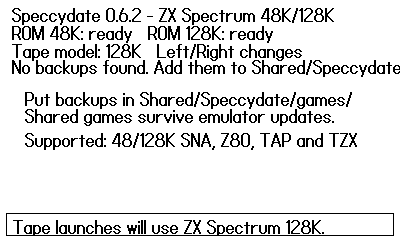
Games can now be stored in the shared/Speccydate/Games folder, this will stop further updates from removing games.
To create the folder, load the emulator once.
Pressing Left or Right on the rom select screen will switch between 48k and 128k
(Very simple)
Have Fun, any problems please let me know.
New Speccydate update.
BACK UP YOUR GAMES BEFORE INSTALLING THE UPDATE.
The new update WILL remove your games.
Now you can map controls for Dpad and A/B to any keys on the keyboard and save them for individual games.
Some game took ages to load so a new auto Turbo loading mode has been implemented, If its active you will see a little TURBO in the top left of the screen just let the game load just like the old days.
Other little bug fixes.
If you run into any games that don't work then please just let me know.
Massive thanks to DarkerBulb for helping me out with game testing 🙌
Give your Playdate a little 1982 magic!
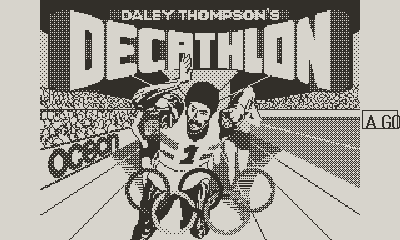
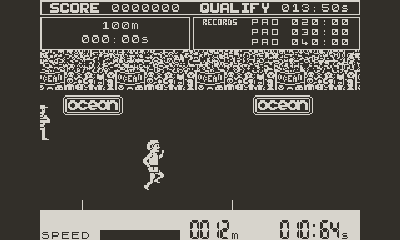
Speccydate is a native ZX Spectrum 48K emulator designed for Playdate’. Add your own legally obtained backups, select them from the built-in library and play them anywhere.
Features
- Supports 48K
.sna,.z80,.tapand.tzxfiles - TAP fast loading and support for common TZX tape formats
- Loading screen pauses so you can view them—press A to continue
- Save and load states from the Playdate system menu
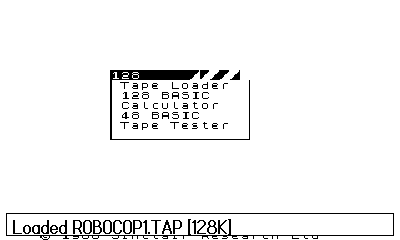
- Built-in game library
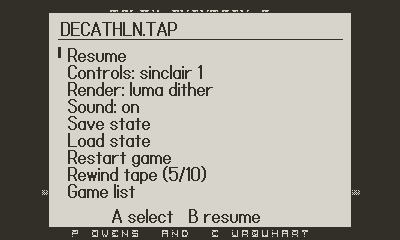
- Controls can vary between ZX Spectrum games. Several common control profiles are available from the emulator options.
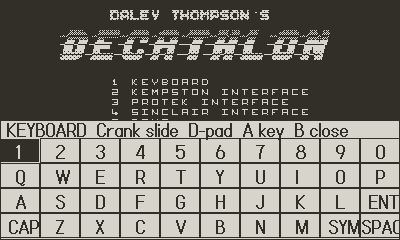
- Movable on-screen ZX Spectrum keyboard
- One full turn of the crank opens the keyboard during gameplay
- Three 1-bit display modes
- Designed and optimized for Playdate hardware
Controls
Game library
- D-pad or crank: choose a game
- A: load the selected game
- B: rescan for newly added games
During a game
- D-pad: movement
- A/B: game actions
- Hold A+B: open the emulator options
- One full turn of the crank: opens the virtual keyboard
- Crank with the keyboard open: moves the keyboard
- B with keyboard open: closes the keyboard
- Playdate Menu: Keyboard, Save State and Load State
Adding games
Connect your Playdate to your pc using USB, add games by going to Settings → System → Reboot to Data Disk. Open the PLAYDATE drive on your pc, Open the Games/User folder. Find the folder ending with speccydate open it and inside you should see another folder called Games, put your backups here, Safely eject the Playdate drive, you should see your games in the speccydate emulator now.
A lot of game need the keyboard to select the controller profile, you will get used to it, try different render modes for each game.
Any problems please just let me know, i am here to help.
Have Fun!!!!
The file 48.rom is the original 16 KiB BASIC ROM for the ZX Spectrum 16K/48K.Copyright remains with the Spectrum ROM copyright holder. Amstrad granted emulator authors permission to redistribute the copyrighted Spectrum ROM code, provided that the copyright messages are not altered. Amstrad also requested the following acknowledgement:
"Amstrad have kindly given their permission for the redistribution of their copyrighted material but retain that copyright."
No games are in this build.
This was a team effort here at www.shadowbreakgames.com
Download
Click download now to get access to the following files:
Development log
- Speccydate4.pdx.zip25 days ago
- Speccydate3.pdx.zip57 days ago
- Speccydate2.pdx71 days ago
Comments
Log in with itch.io to leave a comment.
I've been trying out games especially the Ultimate games. The emulator perfectly simulates the pretty bad frame rate slowdown between screens in challenging games for the z80 like Alien8 and Knightlore. I was wondering if there is a possibility of detecting and dynamically compensating given the playdate's modern CPU. Perhaps this could be a switch... Native and Compensated mode?
I will have a look, I know Knightlore was a nightmare to get running, I will have a proper look over the weekend and get back to you 👍
Great emulator! However I have v3 and I can save custom controls for a game once but 2nd time I get 'could not save controls: unknown nC-FS error....'. If I delete the key map by booting to data disk it works once and then fails again. I have tried z80 and tap. How do I fix this?
Sounds like a save overwrite bug.....
I am looking into it now 👍
Splendid. I will keep an eye out for the patched version
It was a SpeccyDate file-saving bug, Playdate filesystems refused to replace the existing controls file
deleting the existing
.keysfile before saving is the temporary workaround.I am sorting it now, thanks for letting me know.
The new v4 works perfectly. Thanks for updating!
Brilliant! Thanks for letting me know and thanks for bringing the bug to my attention.
Yay - 128K support!!
This emulator is amazing.
THANKS for making it available!
Thanks for all your help, i will get an update ready for paperboy.
I hope everything works out for you. I know it will. A lot of people are grateful for you. Thanks again for bringing this to life.
I'm use a Mac and so the directions didn't quite match what I had to do to install games.
Fantastic project - just completed the first level of Manic Miner, brilliant! :)
Wow, I am totally checking this one out!
Nostalgia here I come